> ## Documentation Index
> Fetch the complete documentation index at: https://docs.embedder.com/llms.txt
> Use this file to discover all available pages before exploring further.
# कॉमन वर्कफ़्लोज़
यह पेज setup, hardware interaction, firmware development, debugging, और session management के practical workflows देता है।
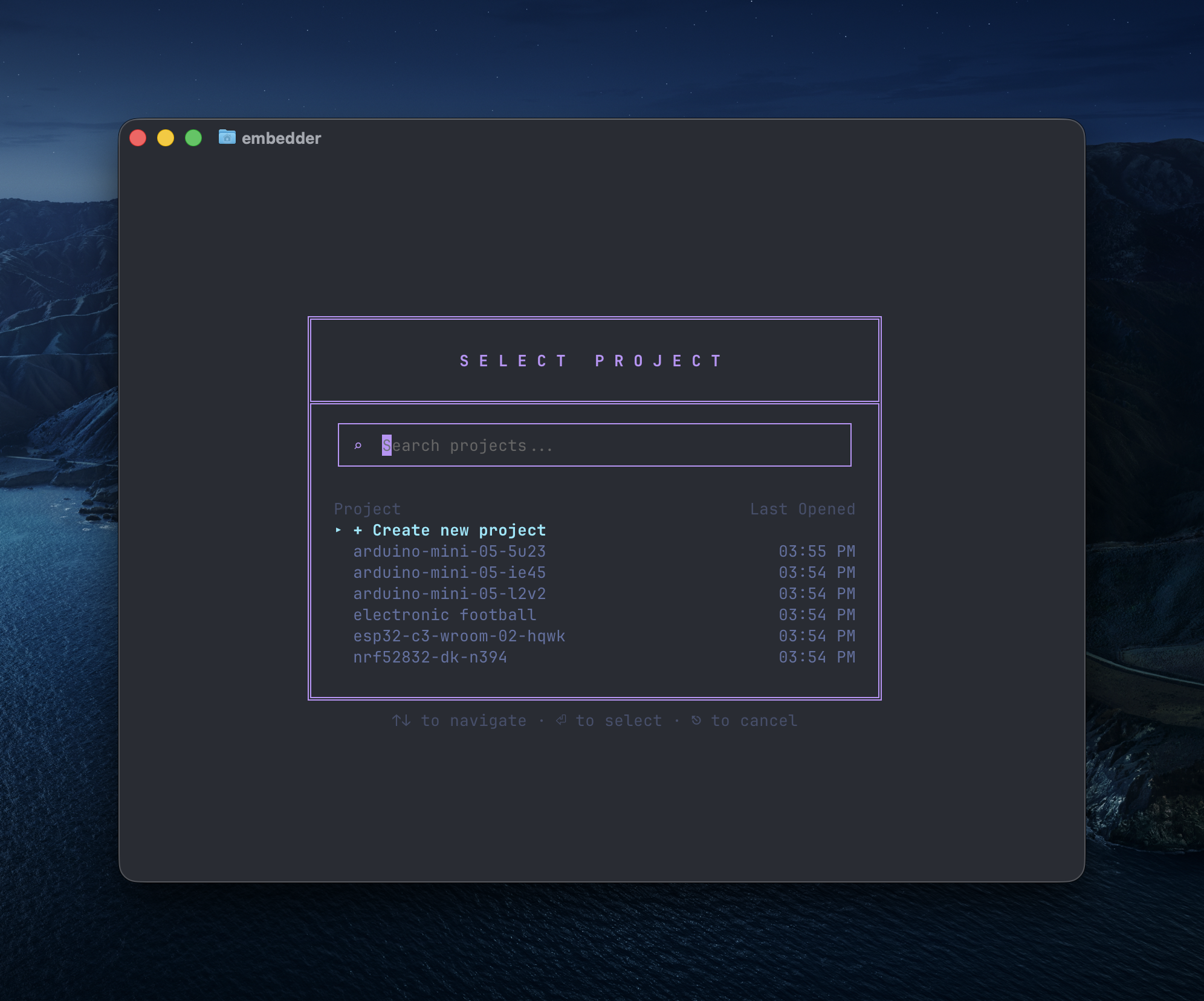
## नया प्रोजेक्ट शुरू करें
```txt embedder theme={"system"}
/project
```
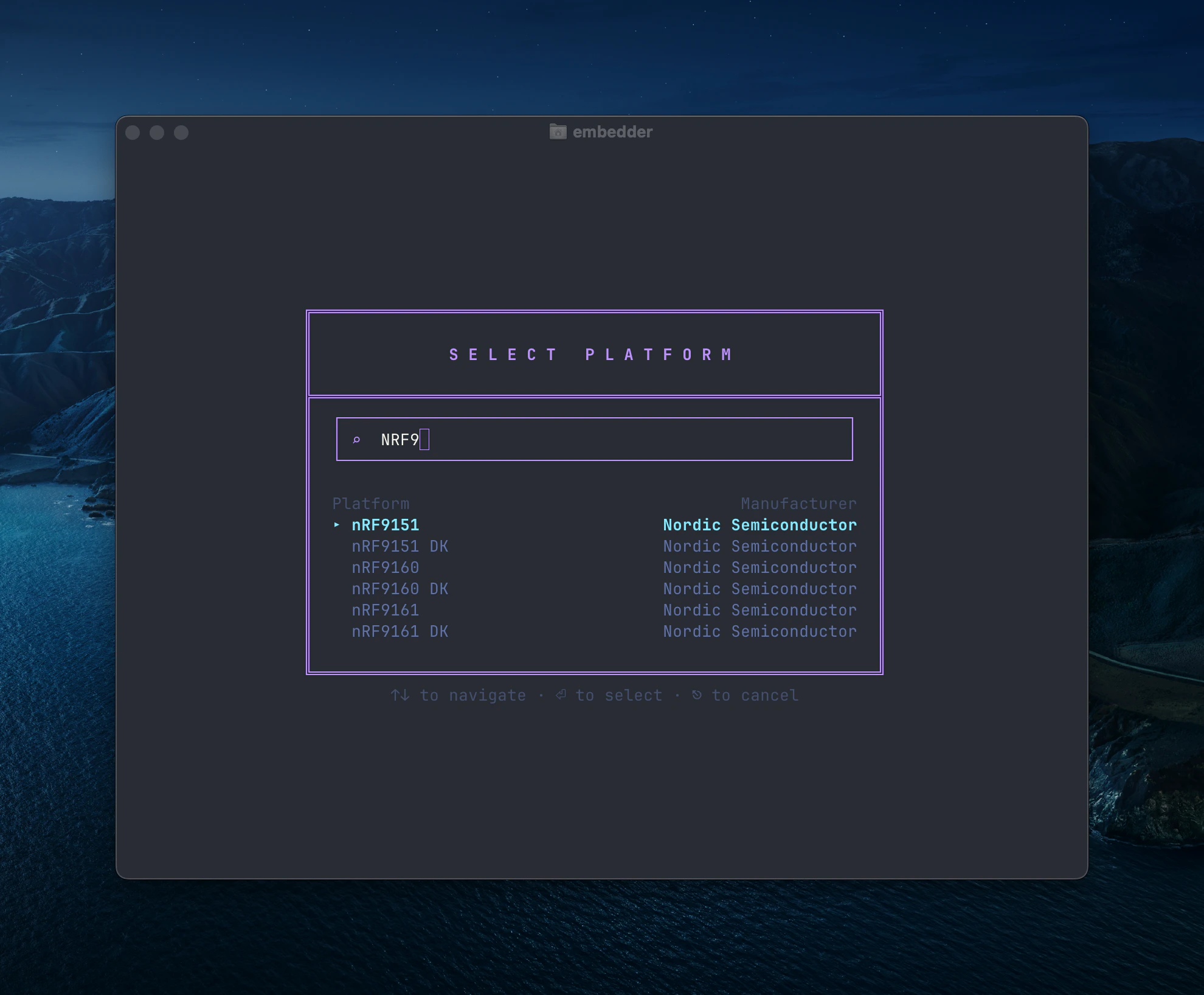
 अपनी hardware platform चुनें या custom platform जोड़ें।
 ज़रूरी peripherals चुनें (I2C, SPI, UART, आदि)।
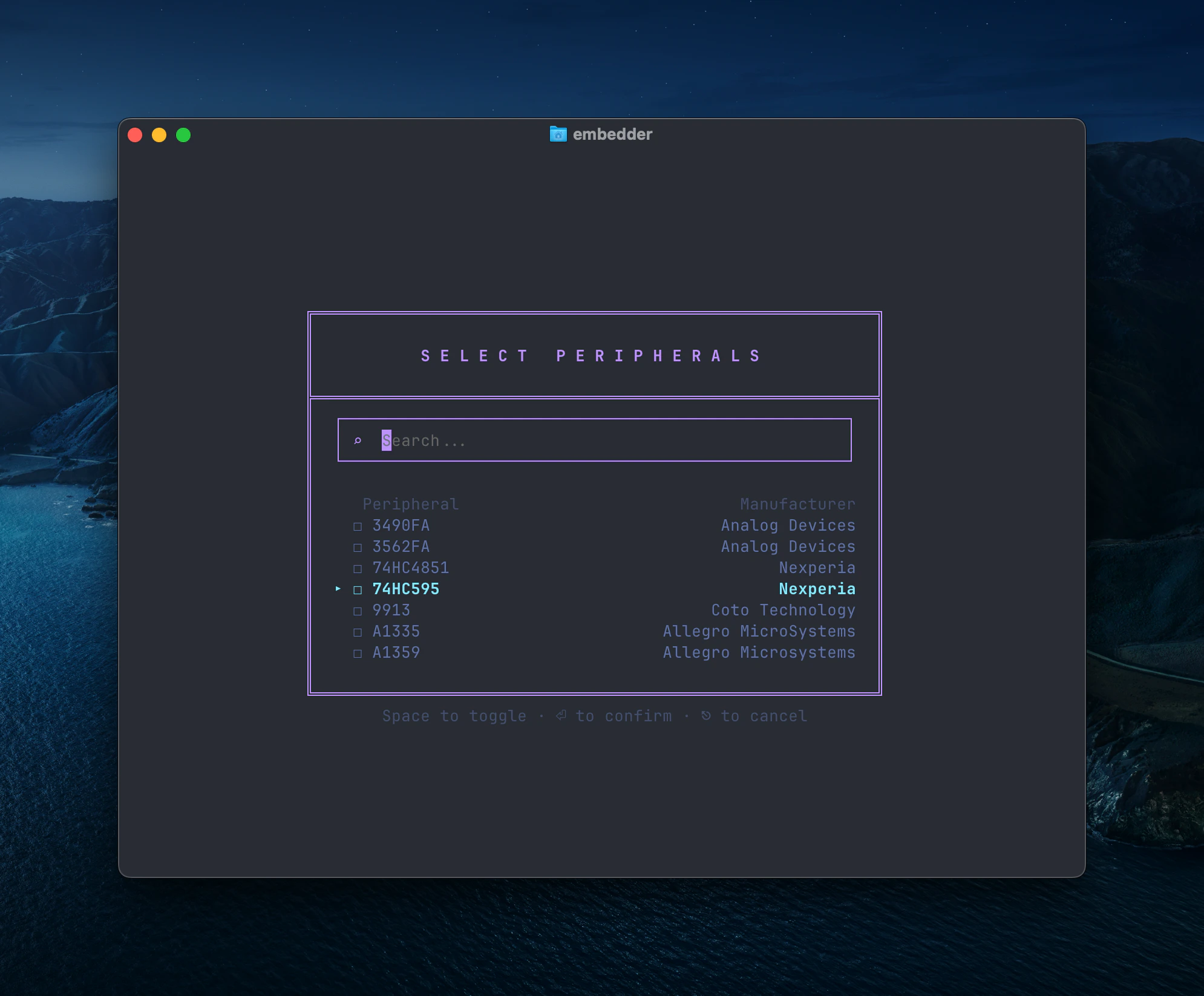 बाद में `/peripheral` दोबारा चलाकर config बदल सकते हैं।
```txt embedder theme={"system"}
/init
```
इससे project context file बनती है।
## Hardware interaction
### Serial monitor
```txt Embedder theme={"system"}
/serial
```
या shortcut `` Ctrl+` `` इस्तेमाल करें।
Auto-connect बंद करने के लिए:
```txt Embedder theme={"system"}
> don't auto-connect to serial after flashing
```
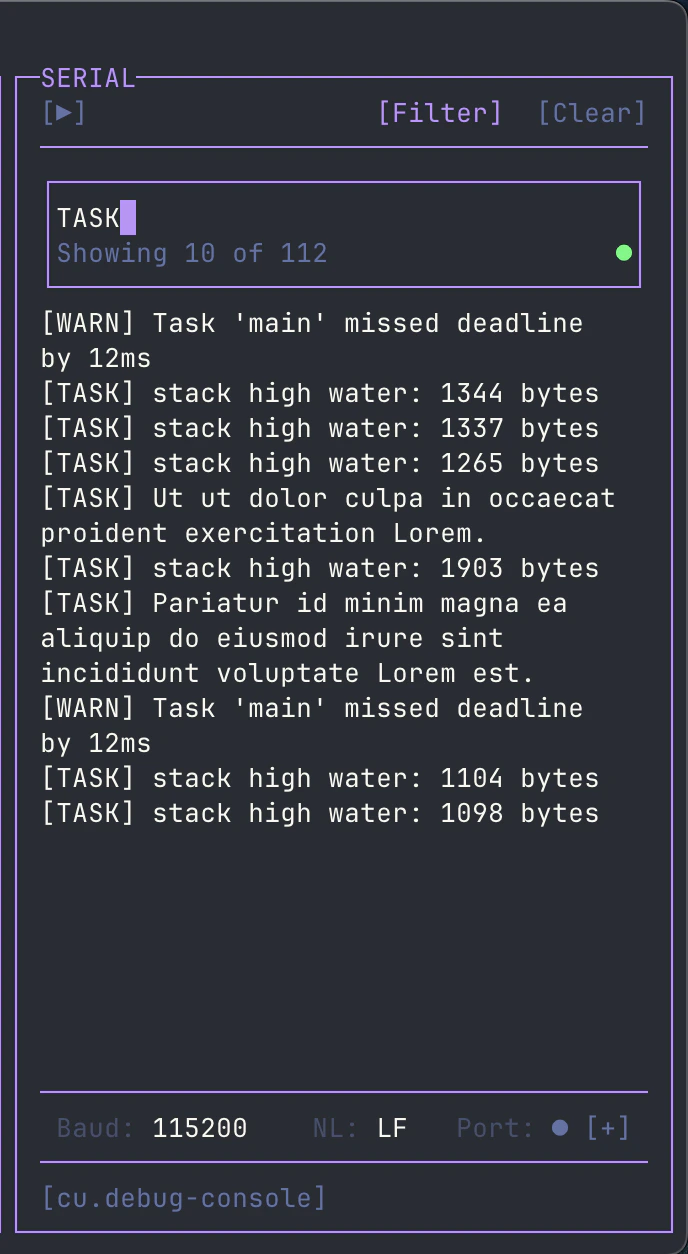
Serial output filter के लिए toolbar में `[Filter]` का उपयोग करें।
बाद में `/peripheral` दोबारा चलाकर config बदल सकते हैं।
```txt embedder theme={"system"}
/init
```
इससे project context file बनती है।
## Hardware interaction
### Serial monitor
```txt Embedder theme={"system"}
/serial
```
या shortcut `` Ctrl+` `` इस्तेमाल करें।
Auto-connect बंद करने के लिए:
```txt Embedder theme={"system"}
> don't auto-connect to serial after flashing
```
Serial output filter के लिए toolbar में `[Filter]` का उपयोग करें।
 ## Firmware development
### Driver लिखना
```txt Embedder theme={"system"}
> write an I2C driver for the BME280 sensor on I2C1 (SDA=PB7, SCL=PB6).
> include functions for reading temperature, humidity, and pressure.
```
```txt Embedder theme={"system"}
> create a UART driver for GPS module on UART2 at 9600 baud.
> implement a ring buffer for RX and parse NMEA sentences.
```
### Build और flash
```txt Embedder theme={"system"}
> help me install the dependencies for this project
```
```txt Embedder theme={"system"}
> build the project
```
```txt Embedder theme={"system"}
> flash the firmware to the device
```
```txt Embedder theme={"system"}
> build and flash, then show me the serial output
```
## Serial debug
```txt Embedder theme={"system"}
> what's causing this error in the serial output?
```
```txt Embedder theme={"system"}
> the device keeps resetting, analyze the crash dump
```
## Plan vs Act mode
* **Act mode**: read/write/execute
* **Plan mode**: read-only analysis
Switch:
* `Shift+Tab`
* `/plan`
* `/act`
## Documentation और context
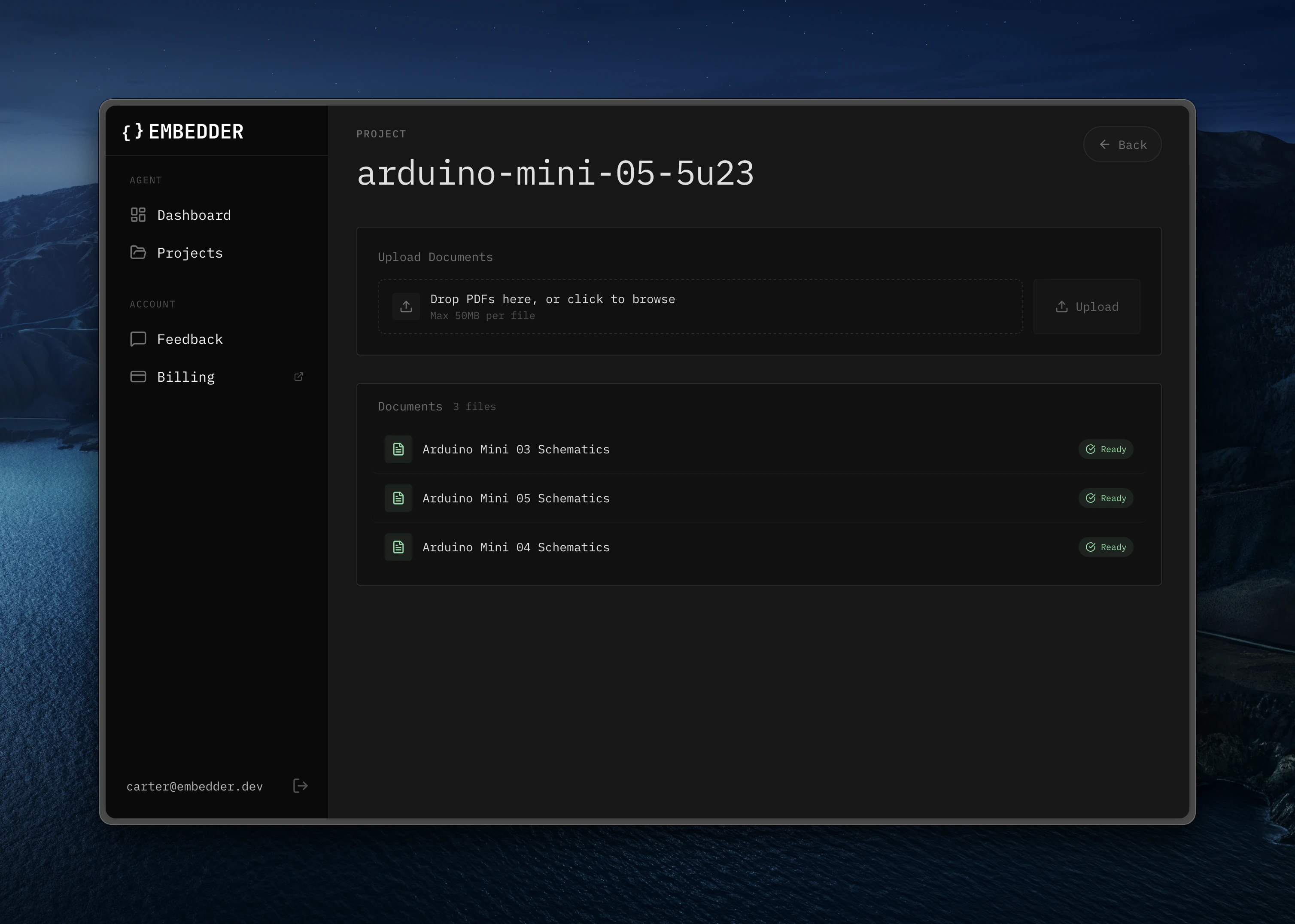
अतिरिक्त docs `/console` से अपलोड करें।
## Firmware development
### Driver लिखना
```txt Embedder theme={"system"}
> write an I2C driver for the BME280 sensor on I2C1 (SDA=PB7, SCL=PB6).
> include functions for reading temperature, humidity, and pressure.
```
```txt Embedder theme={"system"}
> create a UART driver for GPS module on UART2 at 9600 baud.
> implement a ring buffer for RX and parse NMEA sentences.
```
### Build और flash
```txt Embedder theme={"system"}
> help me install the dependencies for this project
```
```txt Embedder theme={"system"}
> build the project
```
```txt Embedder theme={"system"}
> flash the firmware to the device
```
```txt Embedder theme={"system"}
> build and flash, then show me the serial output
```
## Serial debug
```txt Embedder theme={"system"}
> what's causing this error in the serial output?
```
```txt Embedder theme={"system"}
> the device keeps resetting, analyze the crash dump
```
## Plan vs Act mode
* **Act mode**: read/write/execute
* **Plan mode**: read-only analysis
Switch:
* `Shift+Tab`
* `/plan`
* `/act`
## Documentation और context
अतिरिक्त docs `/console` से अपलोड करें।
 ## Bash mode
```bash theme={"system"}
!ls -la
!make clean
!git status
```
## Serial send mode
```txt embedder theme={"system"}
~help
~reset
~get status
```
## `@` से file/dir reference
```txt Embedder theme={"system"}
> explain the logic in @src/main.c
```
```txt Embedder theme={"system"}
> what's in @src/drivers/?
```
## Session management
```txt Embedder theme={"system"}
/project
/history
/compress
```
## Quick reference
| Workflow | Command/Shortcut |
| ----------------- | -------------------------------------- |
| New project setup | `/project` -> `/peripheral` -> `/init` |
| Serial monitor | `/serial` या `` Ctrl+` `` |
| Mode switch | `Shift+Tab` या `/plan` `/act` |
| Add peripheral | `/peripheral` |
| File reference | `@filename` |
| Bash mode | `!command` |
| Serial send | `~message` |
| Undo | `/undo` या `Ctrl+Z` |
| Rewind | `/rewind` या `Ctrl+Z (2x)` |
| Help | `/help` |
## Bash mode
```bash theme={"system"}
!ls -la
!make clean
!git status
```
## Serial send mode
```txt embedder theme={"system"}
~help
~reset
~get status
```
## `@` से file/dir reference
```txt Embedder theme={"system"}
> explain the logic in @src/main.c
```
```txt Embedder theme={"system"}
> what's in @src/drivers/?
```
## Session management
```txt Embedder theme={"system"}
/project
/history
/compress
```
## Quick reference
| Workflow | Command/Shortcut |
| ----------------- | -------------------------------------- |
| New project setup | `/project` -> `/peripheral` -> `/init` |
| Serial monitor | `/serial` या `` Ctrl+` `` |
| Mode switch | `Shift+Tab` या `/plan` `/act` |
| Add peripheral | `/peripheral` |
| File reference | `@filename` |
| Bash mode | `!command` |
| Serial send | `~message` |
| Undo | `/undo` या `Ctrl+Z` |
| Rewind | `/rewind` या `Ctrl+Z (2x)` |
| Help | `/help` |