> ## Documentation Index
> Fetch the complete documentation index at: https://docs.embedder.com/llms.txt
> Use this file to discover all available pages before exploring further.
# Set up MCP servers
> Learn how to connect Embedder to your tools with the Model Context Protocol
Embedder can connect to hundreds of external tools and data sources through the [Model Context Protocol (MCP)](https://modelcontextprotocol.io/), an open source standard for AI-tool integrations. MCP servers give Embedder access to your tools, databases, and APIs.
## What you can do with MCP
With MCP servers connected, you can ask Embedder to:
* **Implement features from issue trackers:** "Add the feature described in Linear issue ENG-4521 and create a PR on GitHub."
* **Analyze monitoring data:** "Check Sentry for errors related to the serial monitor and summarize the most common crashes."
* **Search the web:** "Use Firecrawl to find the latest ESP-IDF release notes and summarize what changed in the Wi-Fi driver."
* **Track issues across tools:** "Find all open Jira issues tagged 'firmware' in Atlassian and cross-reference with related Sentry errors."
## Configure MCP servers
Add and manage MCP servers with the `/mcp` command.
Use the `/mcp` command to see the preconfigured MCPs Embedder has, or to add your own.
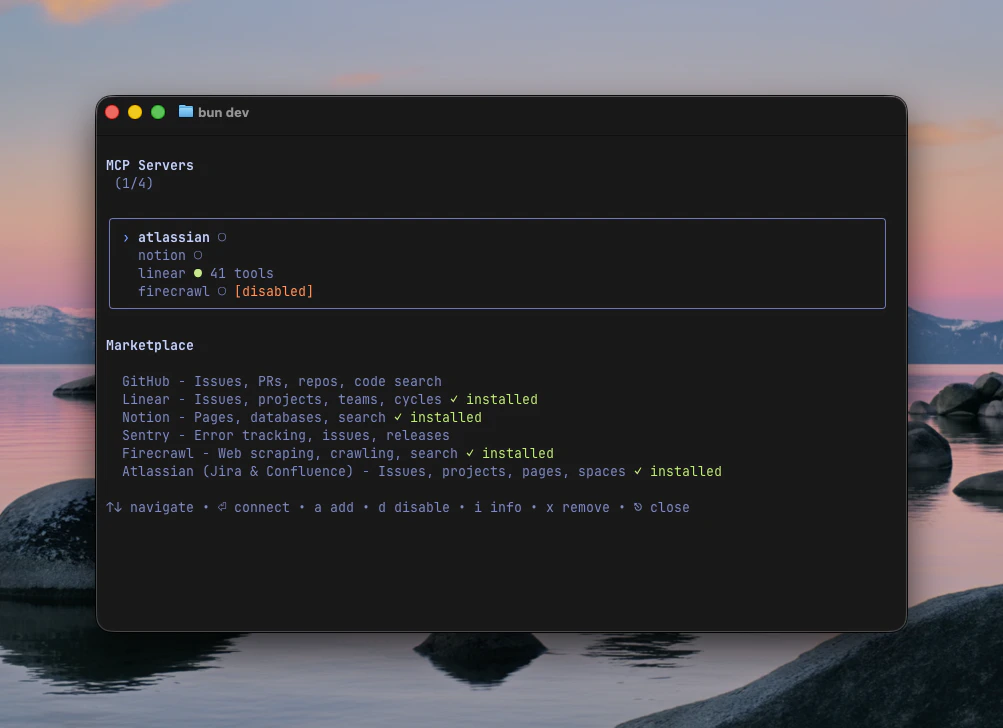 Either select an MCP server from the marketplace, or press a to add your own.
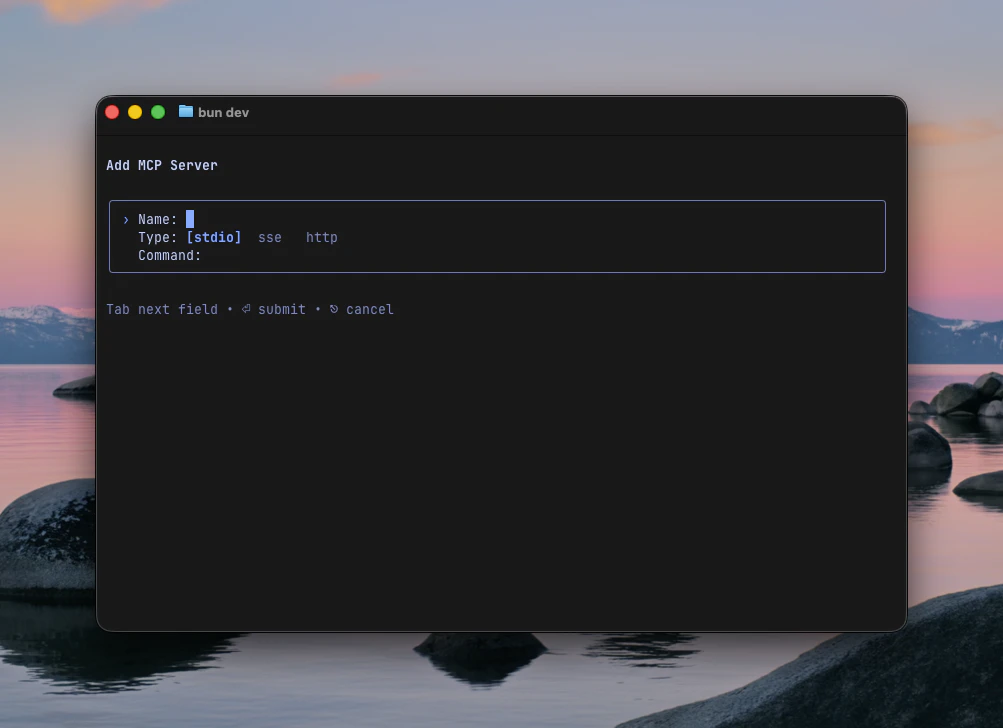 Once configured, Embedder automatically connects to the MCP server. You can verify the connection by asking Embedder to list available tools.
Only use MCP servers from trusted sources.
## Supported transports
Embedder supports the following MCP transport types:
* **stdio** — Communicates with the server over standard input/output. This is the most common transport for local servers.
* **SSE** — Connects to a remote server over Server-Sent Events. Use this for hosted or shared MCP servers.
* **HTTP** — Connects to a remote server over HTTP. Use this for stateless or REST-based MCP servers.
Once configured, Embedder automatically connects to the MCP server. You can verify the connection by asking Embedder to list available tools.
Only use MCP servers from trusted sources.
## Supported transports
Embedder supports the following MCP transport types:
* **stdio** — Communicates with the server over standard input/output. This is the most common transport for local servers.
* **SSE** — Connects to a remote server over Server-Sent Events. Use this for hosted or shared MCP servers.
* **HTTP** — Connects to a remote server over HTTP. Use this for stateless or REST-based MCP servers.