मुख्य सामग्री पर जाएं
यह पेज setup, hardware interaction, firmware development, debugging, और session management के practical workflows देता है।

नया प्रोजेक्ट शुरू करें

1

प्रोजेक्ट बनाएं या चुनें

embedder
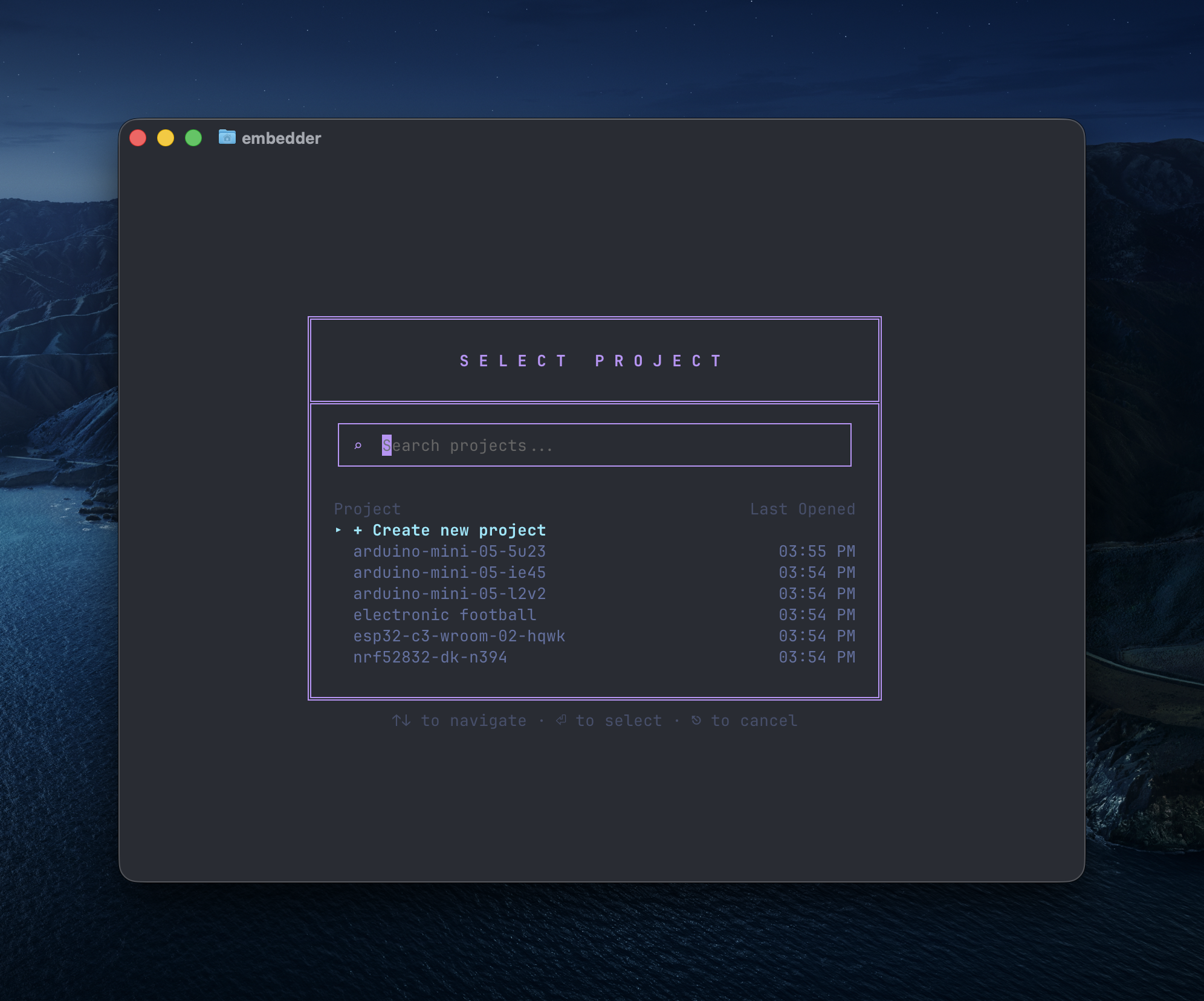
/project
project selection dialog
2

प्लेटफ़ॉर्म चुनें

अपनी hardware platform चुनें या custom platform जोड़ें।
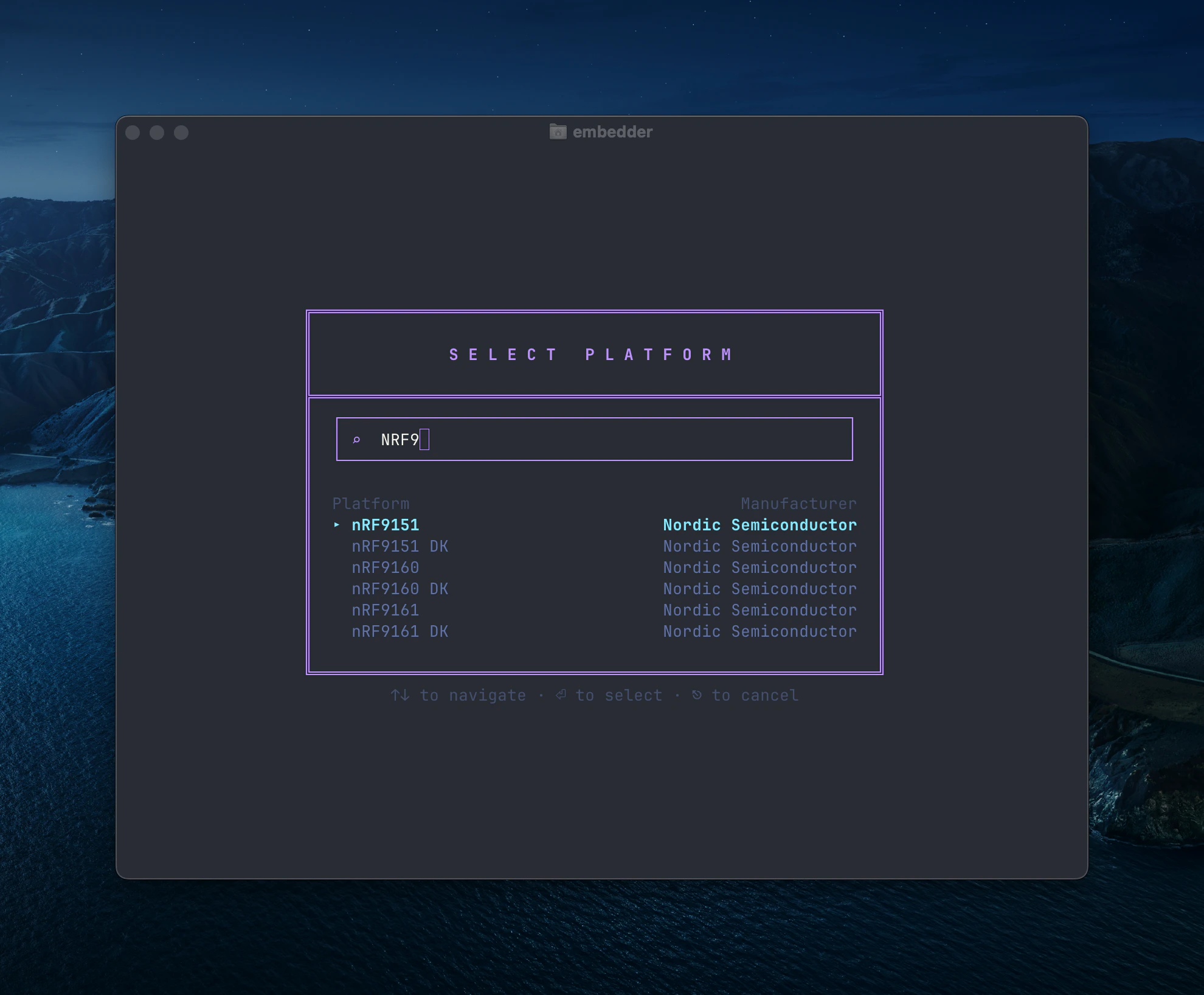
platform selection dialog
3

पेरिफेरल जोड़ें

ज़रूरी peripherals चुनें (I2C, SPI, UART, आदि)।
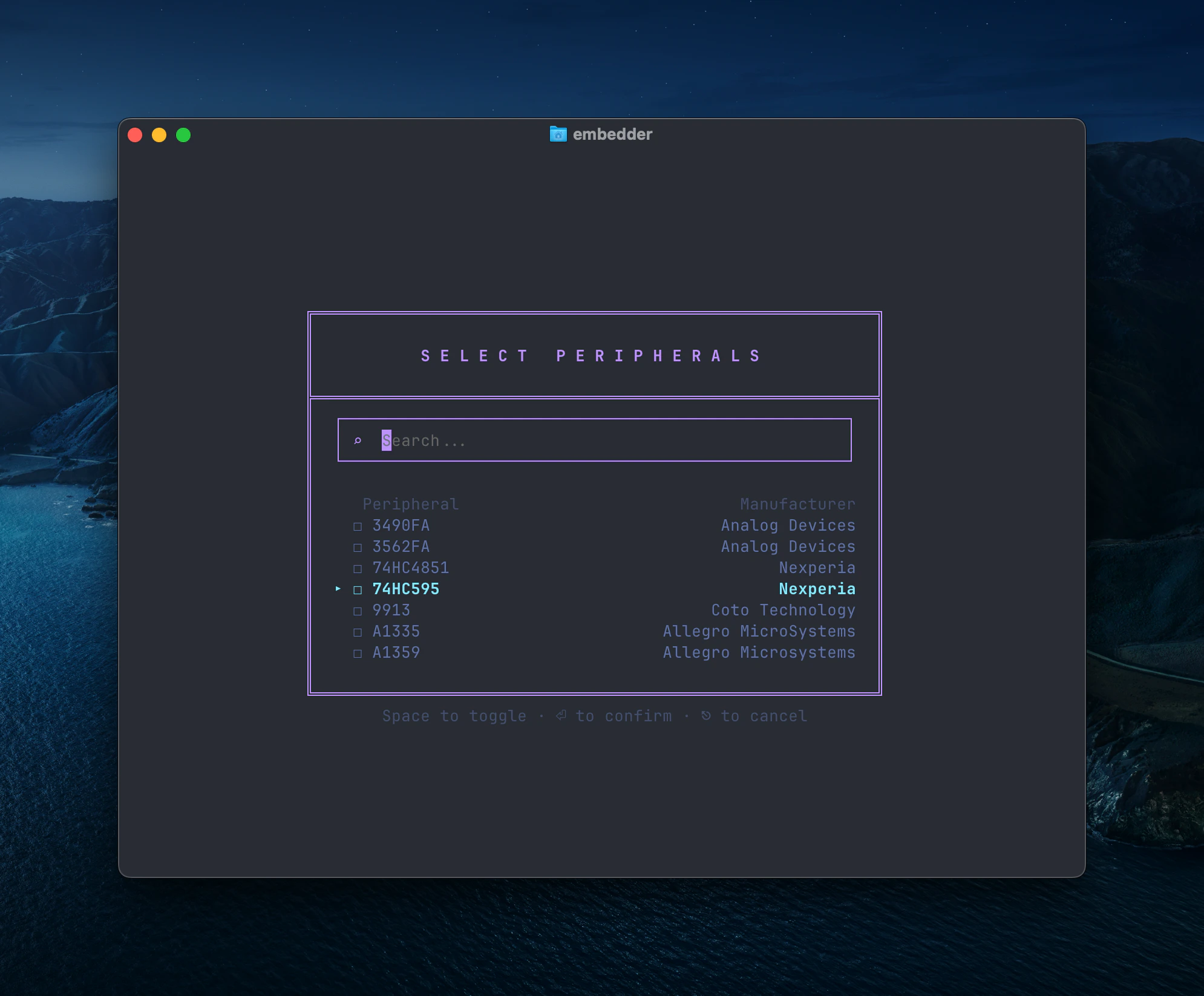
peripheral selection dialog
बाद में /peripheral दोबारा चलाकर config बदल सकते हैं।
4

EMBEDDER.md generate करें

embedder
/init
इससे project context file बनती है।

Hardware interaction

Serial monitor

Embedder
/serial
या shortcut Ctrl+` इस्तेमाल करें। Auto-connect बंद करने के लिए:
Embedder
> don't auto-connect to serial after flashing
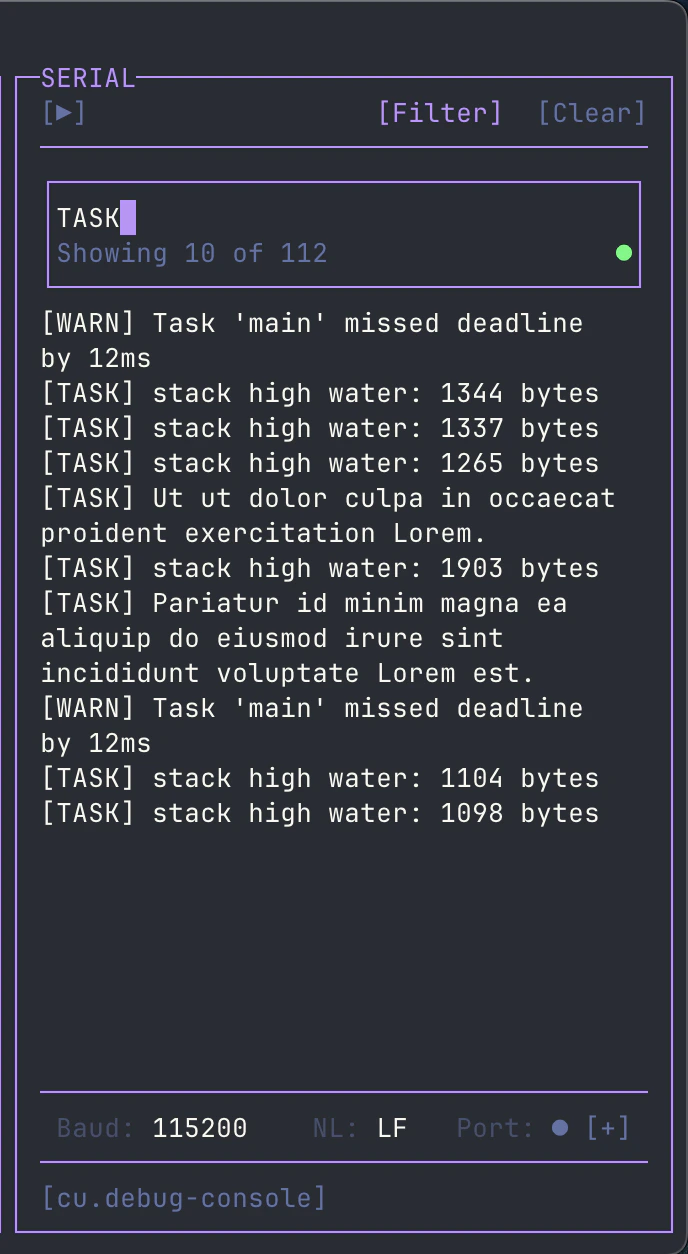
Serial output filter के लिए toolbar में [Filter] का उपयोग करें।
serial filter interface

Firmware development

Driver लिखना

Embedder
> write an I2C driver for the BME280 sensor on I2C1 (SDA=PB7, SCL=PB6).
> include functions for reading temperature, humidity, and pressure.
Embedder
> create a UART driver for GPS module on UART2 at 9600 baud.
> implement a ring buffer for RX and parse NMEA sentences.

Build और flash

1

Dependencies install करें

Embedder
> help me install the dependencies for this project
2

Project build करें

Embedder
> build the project
3

Firmware flash करें

Embedder
> flash the firmware to the device
4

Build + flash + monitor

Embedder
> build and flash, then show me the serial output

Serial debug

Embedder
> what's causing this error in the serial output?
Embedder
> the device keeps resetting, analyze the crash dump

Plan vs Act mode

  • Act mode: read/write/execute
  • Plan mode: read-only analysis
Switch:
  • Shift+Tab
  • /plan
  • /act

Documentation और context

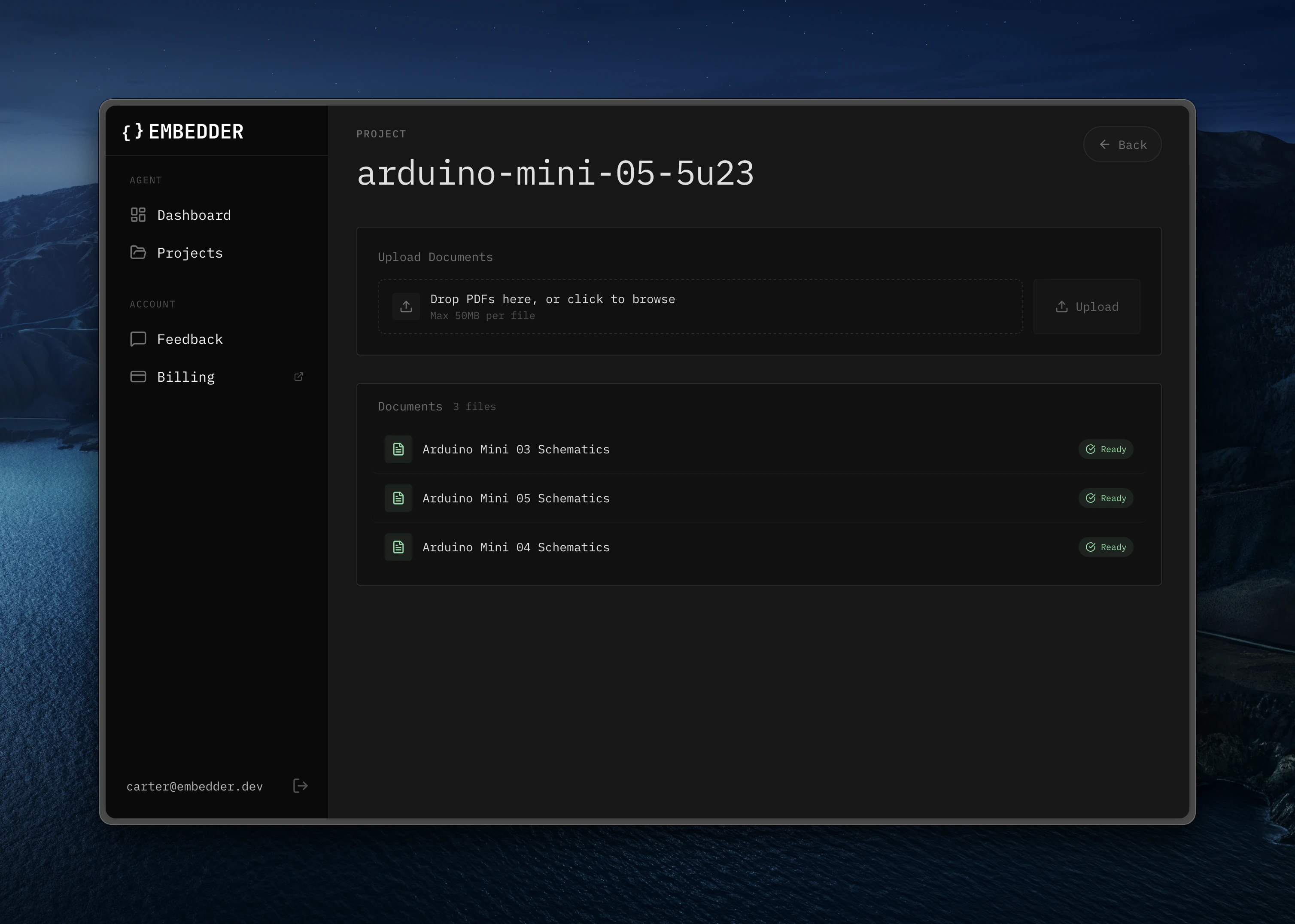
अतिरिक्त docs /console से अपलोड करें।
documentation upload screen

Bash mode

!ls -la
!make clean
!git status

Serial send mode

embedder
~help
~reset
~get status

@ से file/dir reference

Embedder
> explain the logic in @src/main.c
Embedder
> what's in @src/drivers/?

Session management

Embedder
/project
/history
/compress

Quick reference

WorkflowCommand/Shortcut
New project setup/project -> /peripheral -> /init
Serial monitor/serial या Ctrl+`
Mode switchShift+Tab या /plan /act
Add peripheral/peripheral
File reference@filename
Bash mode!command
Serial send~message
Undo/undo या Ctrl+Z
Rewind/rewind या Ctrl+Z (2x)
Help/help
Last modified on March 5, 2026