跳转到主要内容
这页提供最常用的实战流程:项目初始化、硬件交互、固件开发、调试与会话管理。

新项目启动

1

创建或切换项目

embedder
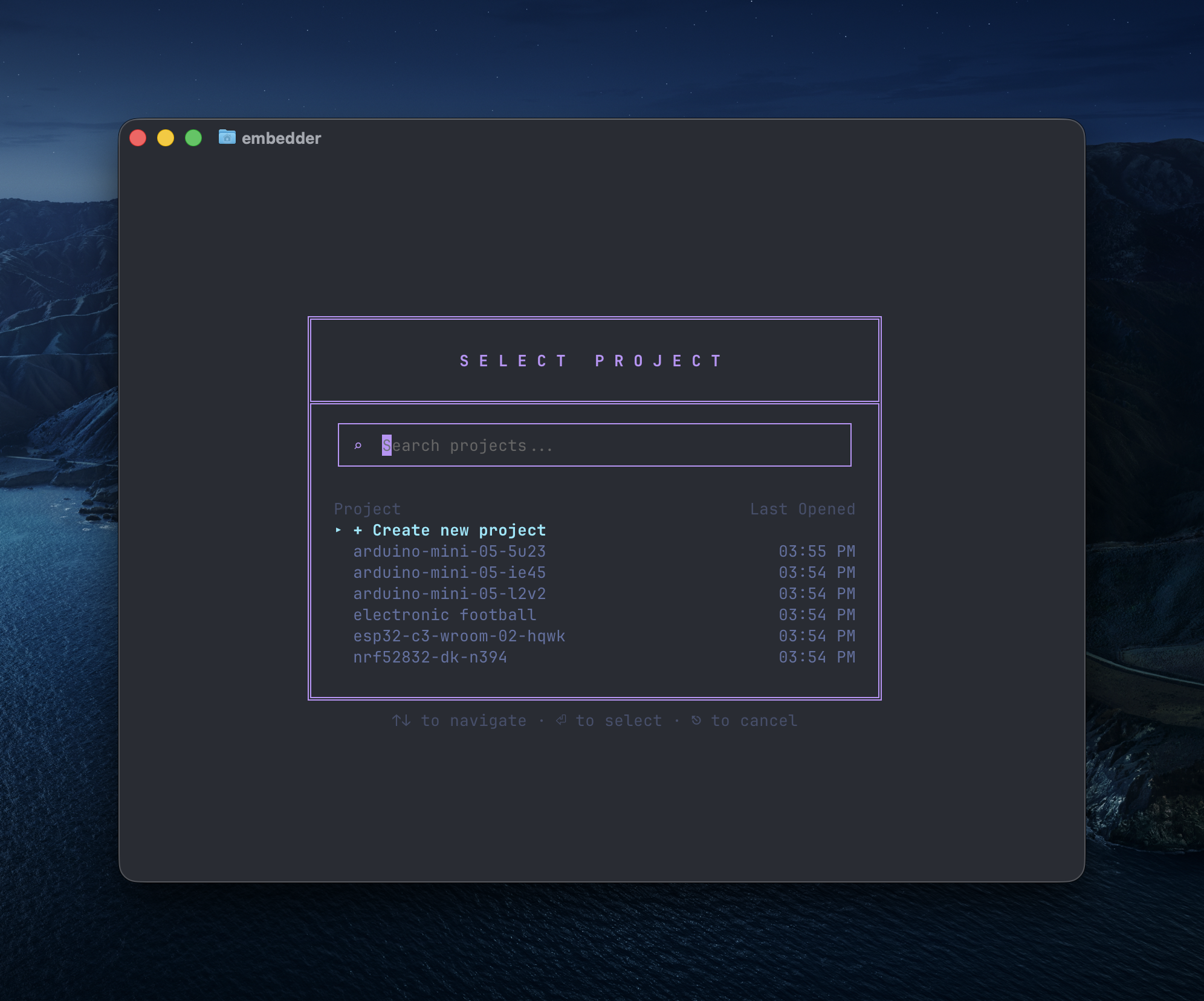
/project
项目选择对话框,包含搜索框、新建按钮和历史项目
2

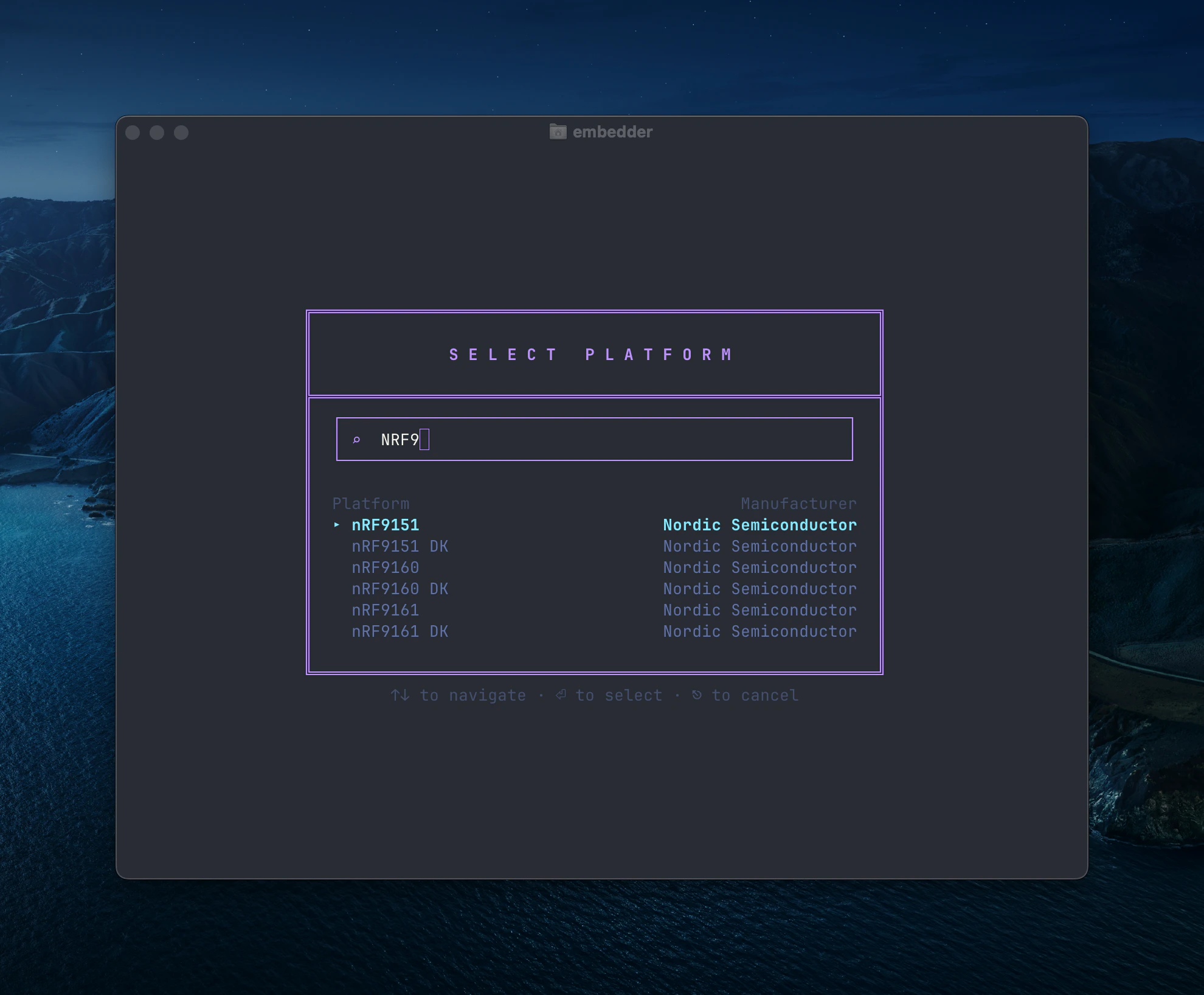
选择平台

从官方目录选择平台,或手动新增。
平台选择对话框,显示 Nordic nRF9xxx 平台
如需新增平台,输入名称并点击 + Add "[platform name]",随后上传相关文档。
3

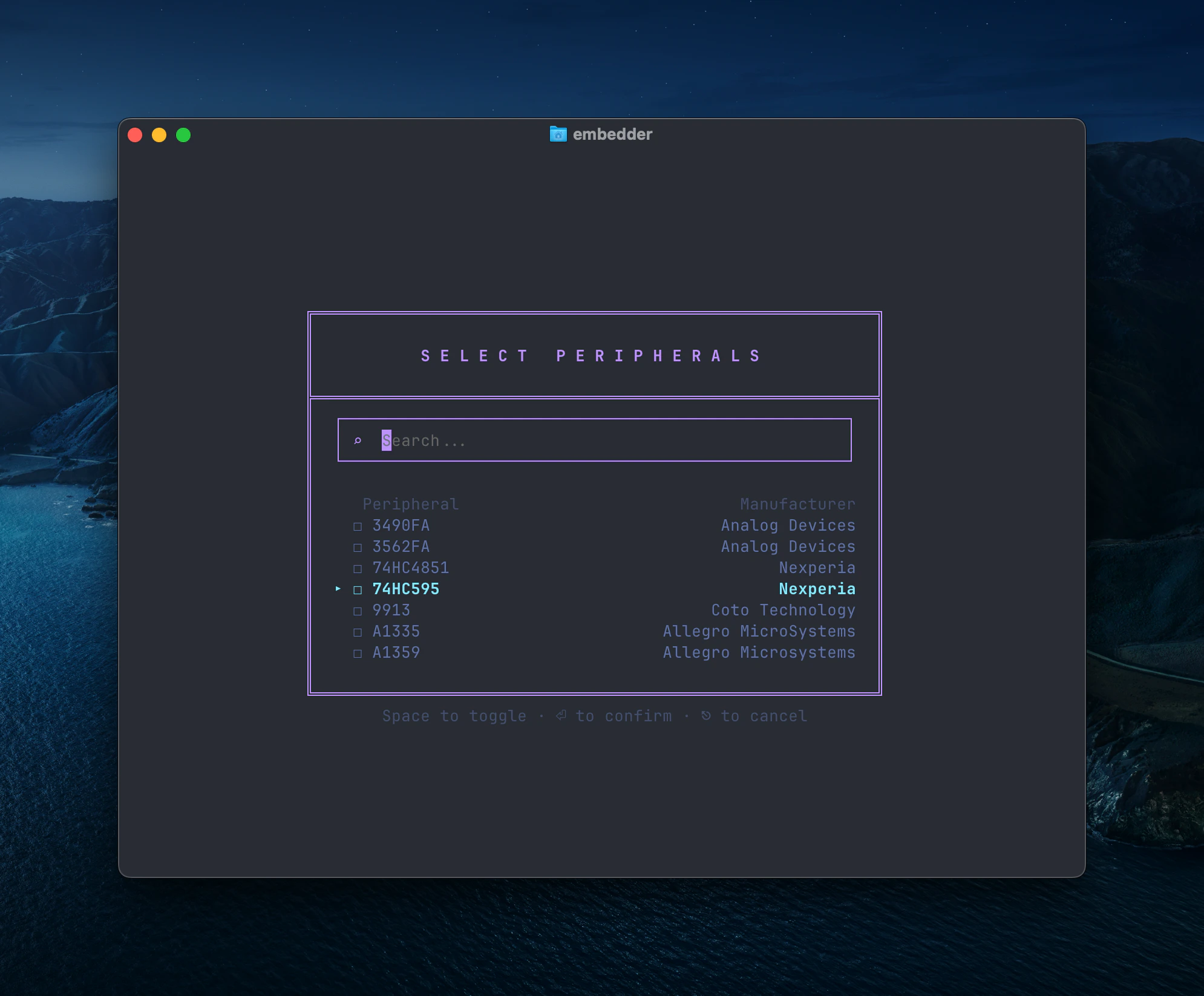
添加外设

选择你要用的外设(I2C/SPI/UART 等)。
外设选择对话框,显示多厂商组件列表
后续可随时再次运行 /peripheral 调整配置。
4

生成项目上下文文件

embedder
/init
生成 EMBEDDER.md,便于后续会话复用约束和命令。

硬件交互

串口监视器

打开串口侧边栏:
Embedder
/serial
或使用快捷键 Ctrl+` 若不希望刷写后自动连接串口,可在提示中写:
Embedder
> don't auto-connect to serial after flashing
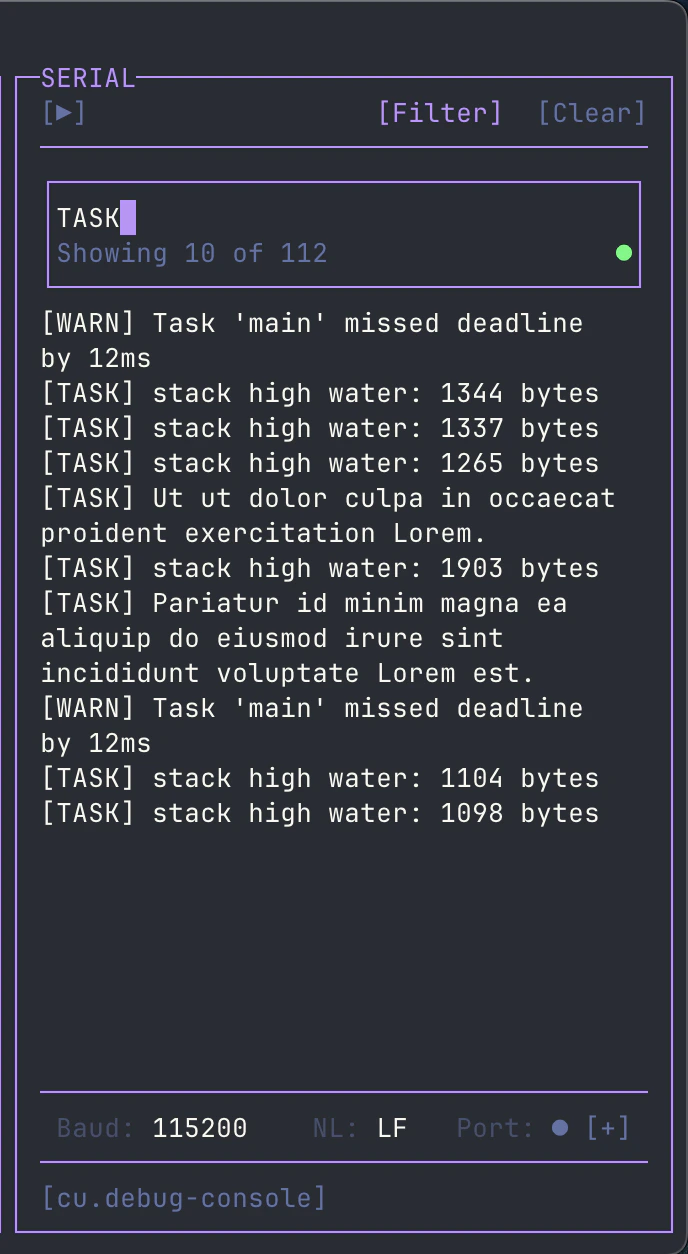
你还可以在串口工具栏中用 [Filter] 进行 regex 过滤。
串口过滤器界面,使用正则表达式过滤日志

固件开发

写驱动

Embedder
> write an I2C driver for the BME280 sensor on I2C1 (SDA=PB7, SCL=PB6).
> include functions for reading temperature, humidity, and pressure.
Embedder
> create a UART driver for GPS module on UART2 at 9600 baud.
> implement a ring buffer for RX and parse NMEA sentences.
Embedder
> implement SPI driver for the SD card module on SPI1.
> include initialization and single block read/write.

构建与刷写

1

安装依赖

Embedder
> help me install the dependencies for this project
2

构建项目

Embedder
> build the project
3

刷写固件

Embedder
> flash the firmware to the device
4

构建 + 刷写 + 监控

Embedder
> build and flash, then show me the serial output

串口调试

Embedder
> what's causing this error in the serial output?
Embedder
> the device keeps resetting, analyze the crash dump
Embedder
> add debug prints to trace the initialization sequence

Plan 模式与 Act 模式

  • Act 模式:可读写和执行命令,适合实现改动
  • Plan 模式:只读分析,适合调研和方案设计
切换方式:Shift+Tab/plan/act

文档与上下文

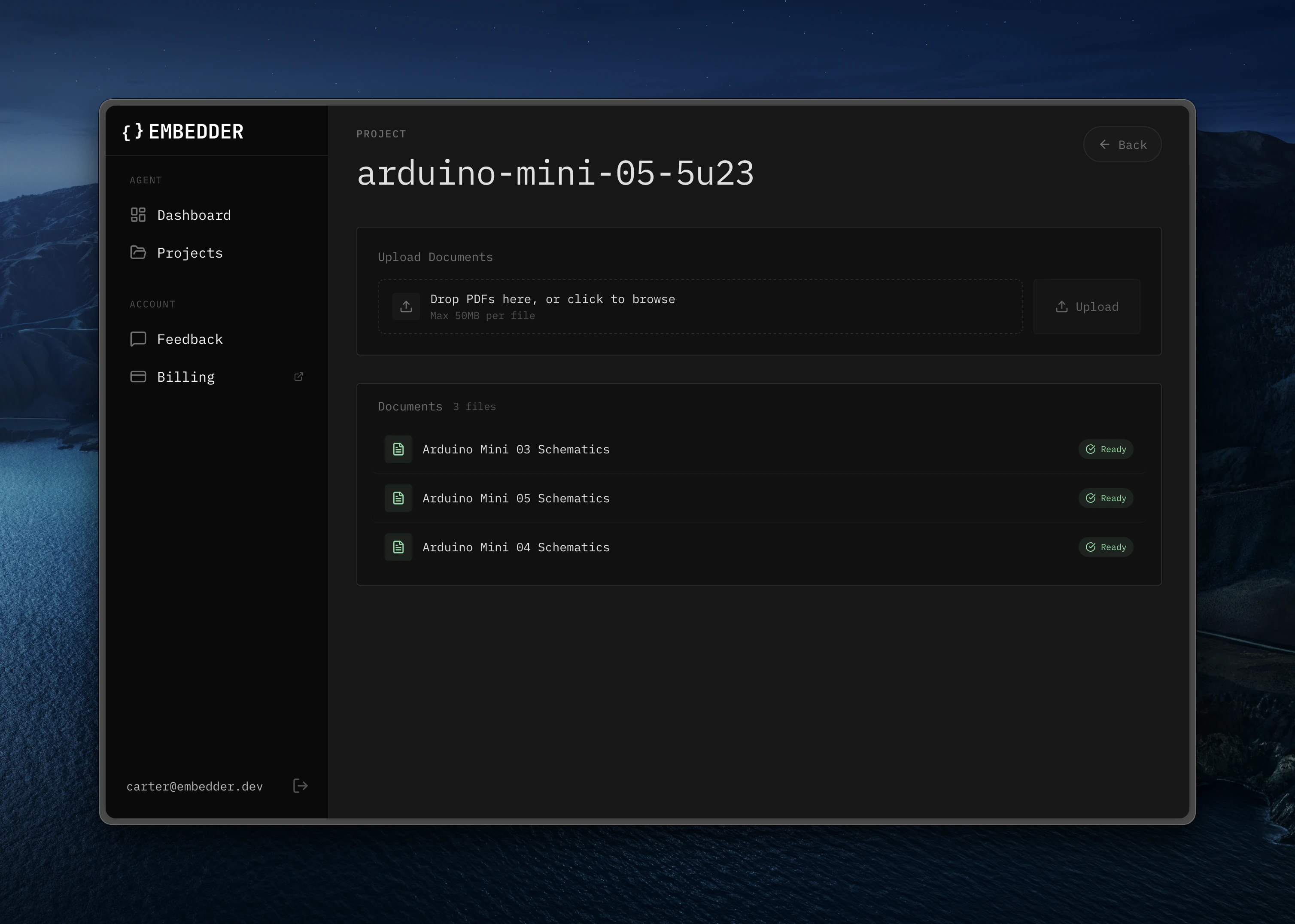
你可以通过 /console 上传更多芯片手册、参考文档和外设资料。
Web 控制台中的文档上传区域
示例:
Embedder
> what's the maximum I2C clock speed for this sensor?
Embedder
> show me the register map for the accelerometer

Bash 模式

! 前缀直接执行命令,不经 AI 解释:
!ls -la
!make clean
!git status

串口发送模式

~ 前缀直接向设备串口发送:
embedder
~help
~reset
~get status

@ 引用文件/目录

Embedder
> explain the logic in @src/main.c
Embedder
> what's in @src/drivers/?

会话管理

Embedder
/project
/history
/compress

快速参考

场景命令 / 快捷键
新项目配置/project -> /peripheral -> /init
打开串口/serialCtrl+`
切换模式Shift+Tab/plan /act
引用文件在提示中输入 @filename
Bash 直连!command
串口发送~message
撤销/undoCtrl+Z
回退/rewindCtrl+Z (2x)
帮助/help
Last modified on March 5, 2026