
@embedder GitHub comments for that repo can be claimed, executed in your local checkout, and tracked from embedder monitor.
The normal setup flow is embedder start daemon. It starts the daemon in the background, resolves the Git repository root, sets up daemon credentials, and selects the team and project used for GitHub work.
Before you begin
Make sure you have:- Embedder installed. If you have not installed it yet, start with Quickstart.
- A local checkout of the repo where GitHub work should run.
- The GitHub App installed for the org or repo you want Embedder to work on.
- Access to the Embedder team and project that should receive the daemon work.
- A machine that can stay online while the daemon is running.
For the smoothest setup, sign in with the normal
embedder command first. If there is no stored login or daemon API key, embedder start daemon will ask you to paste an API key.Set up the GitHub bot
Open the repository
Start from the local Git checkout where Embedder should run GitHub work.Embedder resolves the Git repository root automatically, so you can also run the daemon commands from a subdirectory of the repo.
Start the daemon
Run:The command starts a detached daemon for this Git workspace. You can close the terminal after startup; the daemon keeps running in the background.If setup succeeds, the command prints the daemon PID, repo path, selected team, selected project, and how that team/project selection was chosen.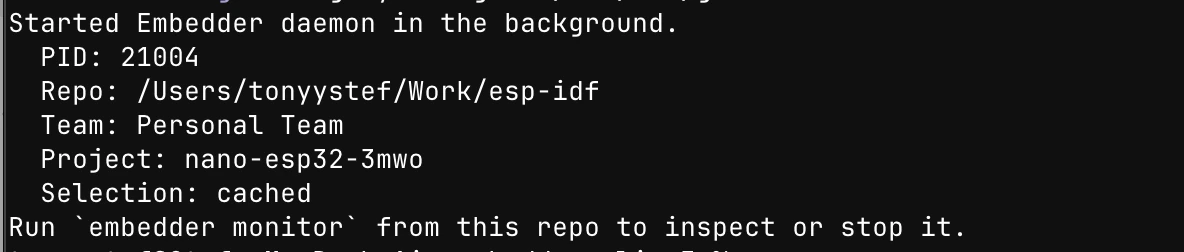
If a daemon is already running for the repo, Embedder prints the active PID instead of starting a duplicate.
Choose the team and project
The daemon needs an Embedder team and project for GitHub work claiming.By default, You can also use environment variables:
embedder start daemon chooses them in this order:- Reuse the cached team/project for this repo.
- Auto-select when your account has only one available choice.
- Prompt you when there are multiple teams or projects.
--team and --project:Monitor the daemon
From the same repo, run:The monitor shows connection state, workspace, backend URL, selected claim team and project, GitHub work phase, current repo, errors, hardware state, and a 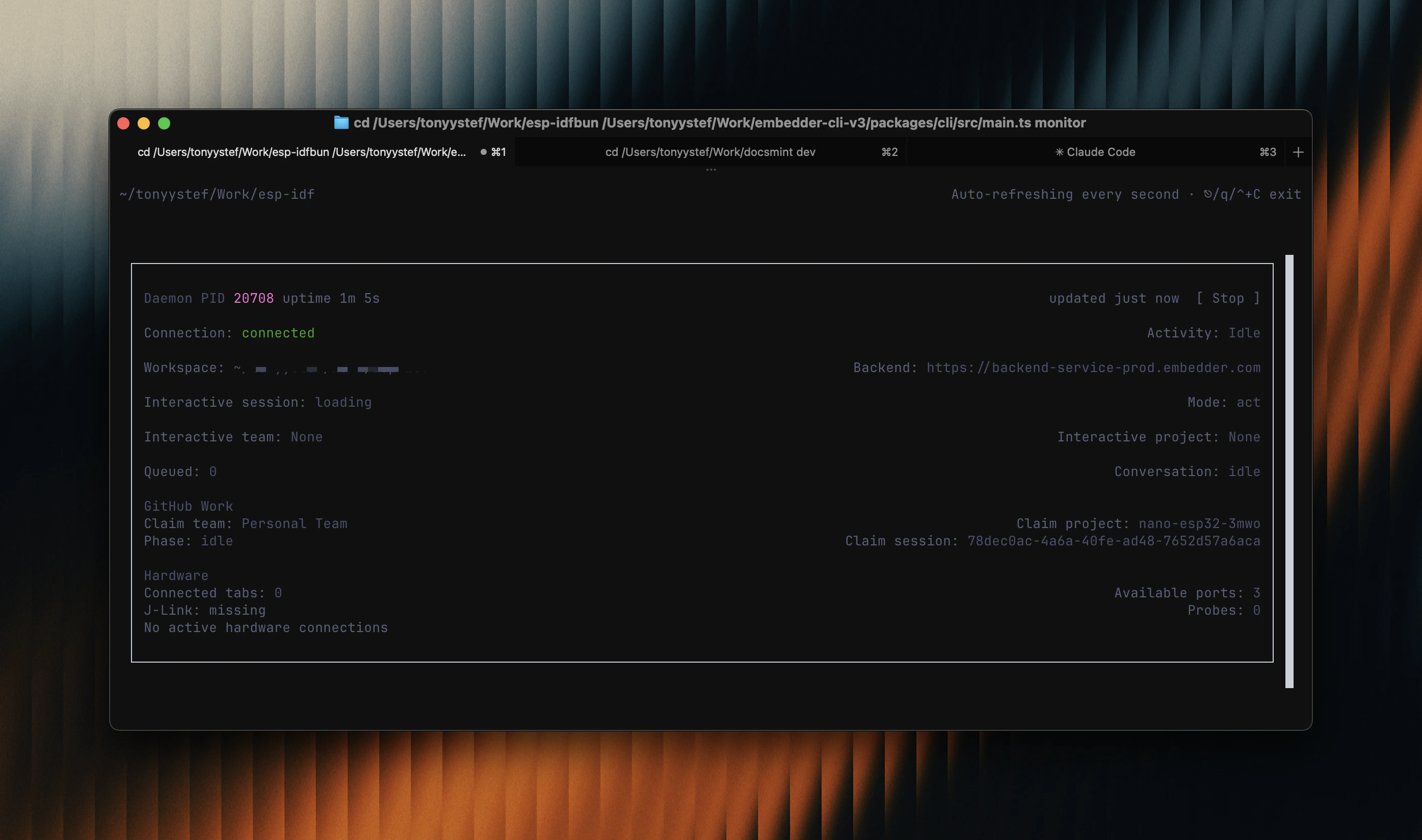
[ Stop ] control.If the monitor shows an active daemon for the workspace, the bot is live.
Trigger GitHub work
Open an issue or pull request in a repository the GitHub App can access, then mention Embedder:When the backend assigns the work to your daemon, the monitor changes from idle or polling to executing GitHub work for that repository.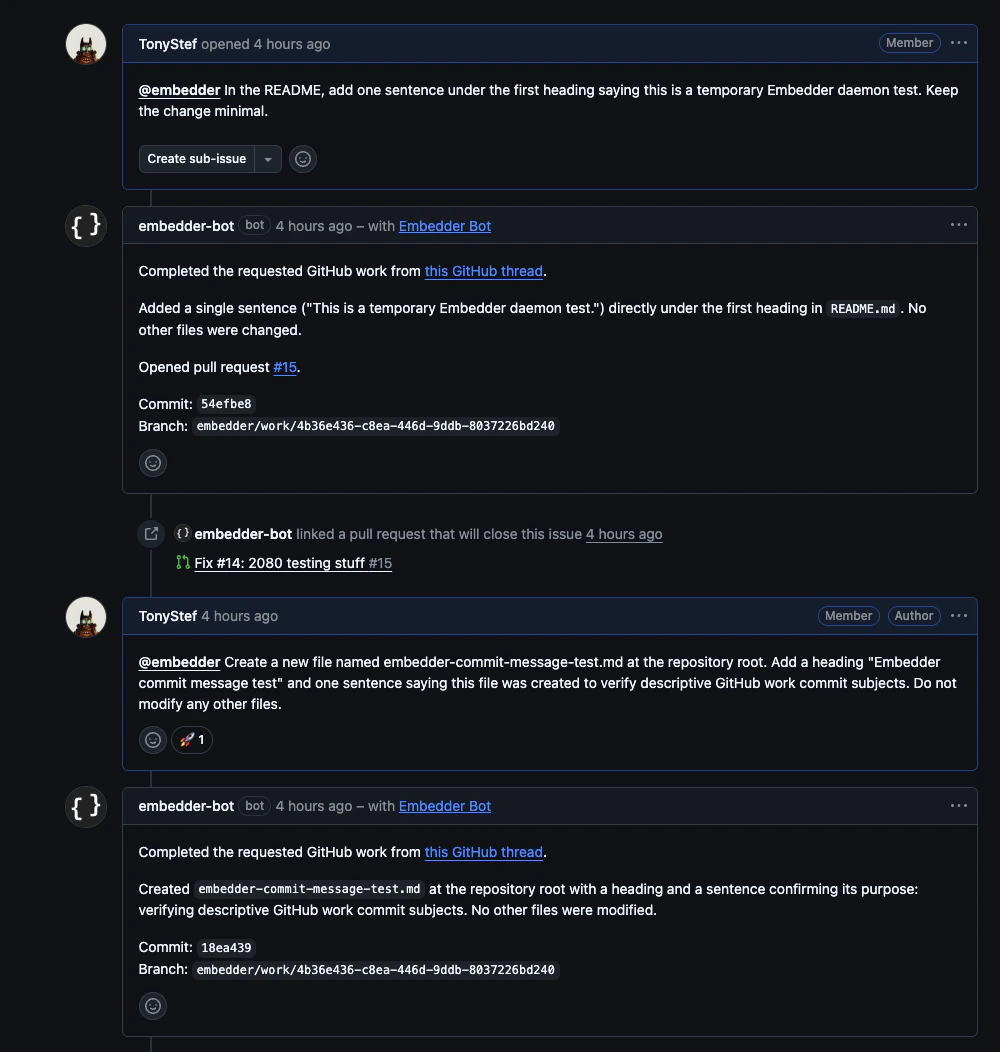
Credentials
embedder start daemon handles daemon credentials for the normal setup flow:
- It uses
EMBEDDER_API_KEYif it is set. - It reuses a stored daemon API key for the backend URL.
- It creates and stores a daemon API key from your current Embedder login when possible.
- It asks you to paste an API key if no stored credential is available.
EMBEDDER_API_KEY set.
- macOS / Linux
- Windows PowerShell
Run from another directory
Use--dir when you want to start or stop a daemon for a repo without changing directories first.
embedder monitor resolves the current Git repo root automatically, so run it from the repo or one of its subdirectories.
Advanced daemon mode
embedder --daemon still starts the long-lived daemon process directly, but it expects daemon credentials and project context to already be available. Most users should use embedder start daemon instead because it handles setup, launches the process in the background, and keeps start, monitor, and stop pointed at the same Git workspace.
Troubleshooting
No Git repository found
No Git repository found
Run
embedder start daemon from inside a Git checkout, or pass --dir /path/to/repo.No daemon API key found
No daemon API key found
Run
embedder once to sign in, then run embedder start daemon again. For non-interactive machines, create an API key in the dashboard, set EMBEDDER_API_KEY, and start the daemon.Team or project selection is wrong
Team or project selection is wrong
Run
embedder start daemon --team "Team Name" --project "Project Name" from the repo. Embedder stores that selection for the workspace and will reuse it on later starts.embedder monitor does not show a daemon
embedder monitor does not show a daemon
Run
embedder monitor from the same Git workspace where the daemon was started. If you started it with --dir, change into that repo or use embedder stop daemon --dir /path/to/repo to manage it from elsewhere.GitHub work never arrives
GitHub work never arrives
Check the monitor first. If it shows
GitHub repository not claimable, the daemon is connected but the backend cannot claim work for that repo. Verify that the GitHub App is installed for the org or repo and that the repo is connected to Embedder.The daemon is stuck or using the wrong PID
The daemon is stuck or using the wrong PID
Run
embedder monitor to see active daemon PIDs for the workspace, then stop the specific process with embedder stop daemon --pid <pid>.Next steps
Common workflows
Explore practical examples of what you can do with Embedder.
Set up MCP servers
Connect Embedder to external tools and data sources.